Generating DDL for Neon
Neon is a fully managed, serverless database built on standard PostgreSQL, with a rich ecosystem of built-in features, integrations, and extensions.
To go from business requirements and existing data to an AI-ready database hosted on Neon, you’ll complete three steps:
- Generate a schema
- Convert the schema to Neon-specific DDL.
- Run the DDL in the Neon Console SQL Editor
1/3. Generating schema
Follow the Generating Schema for Securities Trading tutorial to create a schema for your database.
Keep file_id for the next step.
2/3. Converting schema
Xfrukt generates schemas in a generic, data-model-agnostic JSON Structure notation .
Use the file_id of the schema already stored in Xfrukt.
import requests

XFRUKT_API_KEY = "YOUR_API_KEY"
BASE_URL = "https://api.xfrukt.com"

headers = {
    "X-Api-Key": XFRUKT_API_KEY,
}

response = requests.post(
    f"{BASE_URL}/v1/convert",
    json={
            "file_id": file_id,
            "provider": "neondb"
        },
    headers=headers
)
Neon is standard Postgres with minimal changes, the most relevant being the VECTOR type for embeddings.
Response
Your DDL will be available in the content field of the response.
Success — 200 OK
{
    "file_id": "726ab45034c1521af64fe59f10a159427686509a2d2646ec678c454f7c2fef46",
    "object": "file",
    "filename": "securities_trading_refined.json",
    "content": "CREATE EXTENSION IF NOT EXISTS vector; CREATE TYPE entity_type_enum AS ENUM ...",
    "content_type": "text/plain",
    "content_size": 29834,
    "status": "finished",
    "created_at": 1782617163
}
3/3. Defining the Schema in Neon
- Open the Neon Console
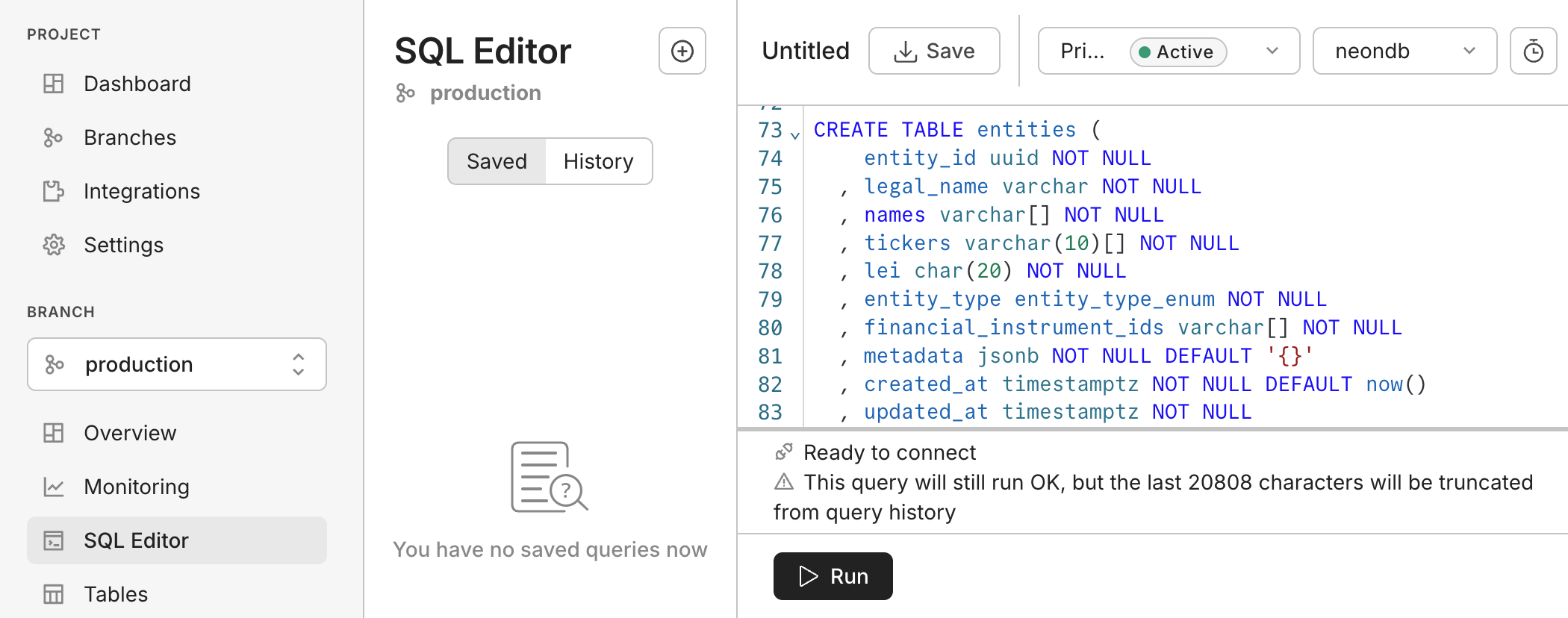
- Navigate to SQL Editor
- Paste in your DDL and click Run
🎉 You’re all set! The database is ready for data ingestion and agent-based querying.